

senseaudio-s2。新版官方文档将编程客户端称为 TraeCode;具体入口可参考 Trae 自定义模型说明。
前提条件
已订阅 SenseAudio Token Plan
步骤一:安装并登录 Trae
- 访问 Trae 官网,下载适合你系统的桌面 IDE 安装包。
- 安装并打开 Trae,按首次启动引导完成设置。
- 按界面提示登录账号,完成后返回编辑器。
步骤二:添加 SenseAudio 模型
1
进入模型设置
打开 设置,选择 模型,点击 添加模型。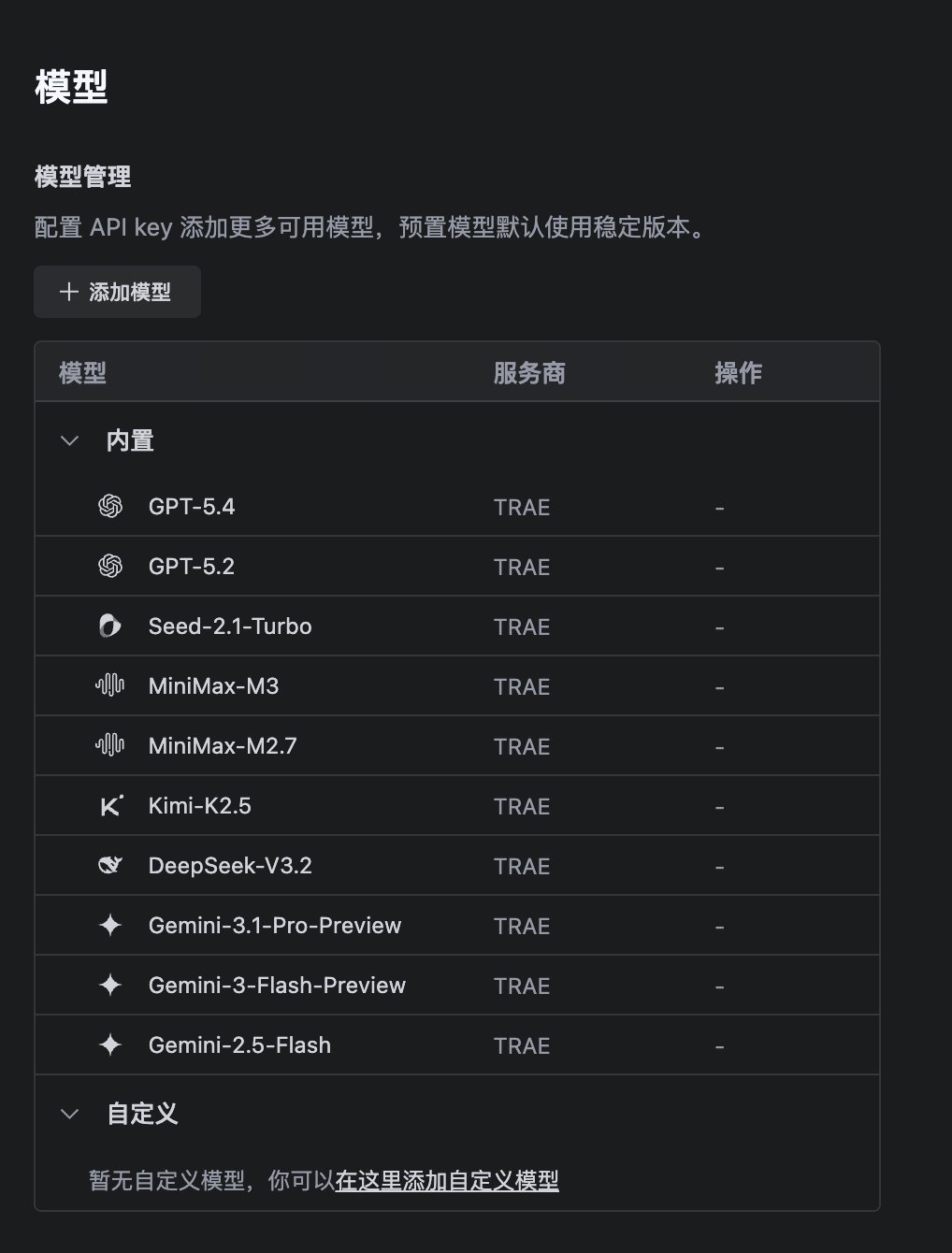
2
选择自定义配置
在添加窗口中选择 自定义配置 或 自定义模型,将 API 格式 设为 OpenAI Chat Completions。SenseAudio 兼容这种接口格式,因此在这里选择 OpenAI;实际请求使用你填写的 SenseAudio 地址和密钥。如果旧版本只显示 服务商 和 模型 两项,分别选择 OpenAI 和 自定义模型,然后填写下一步的完整请求地址。
3
填写连接信息
按以下内容填写;如果出现 完整 URL 开关,将它打开: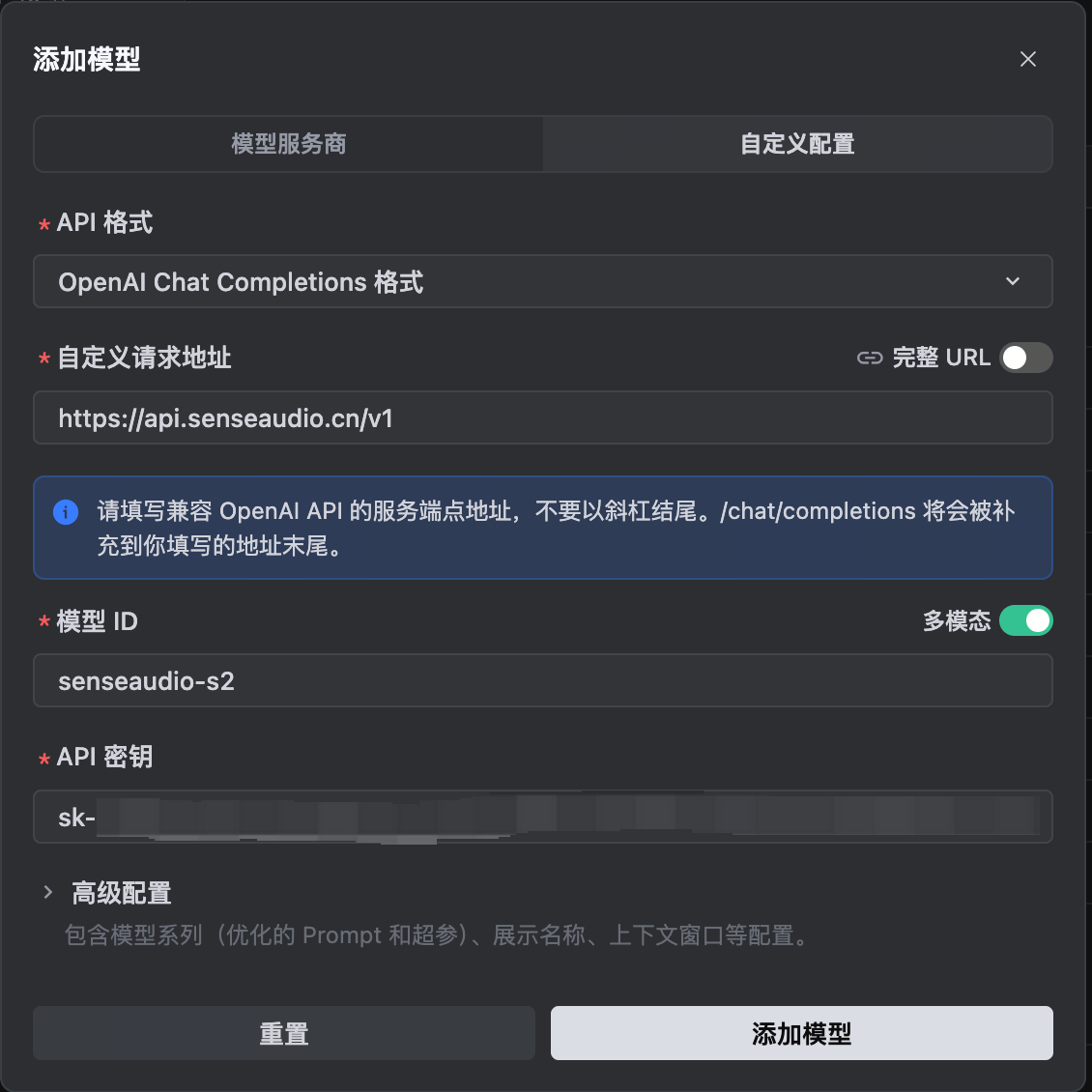
本页使用完整请求地址,因此包含
/chat/completions。如果关闭 完整 URL,地址必须改为 https://api.senseaudio.cn/v1,由 Trae 自动补齐路径。开关和地址需要配套,不能混用。高级配置 可先保持默认;如果显示 模型系列,选择 默认。下图展示保持 完整 URL 默认关闭时的填法,使用 /v1 基础地址。4
保存并检查连接
点击 添加模型(旧版可能显示 确认)。Trae 会检测连接;成功后,模型出现在模型列表中。如果窗口显示错误,先根据本页常见问题修正配置,再重新添加。添加成功后,确认模型处于启用状态。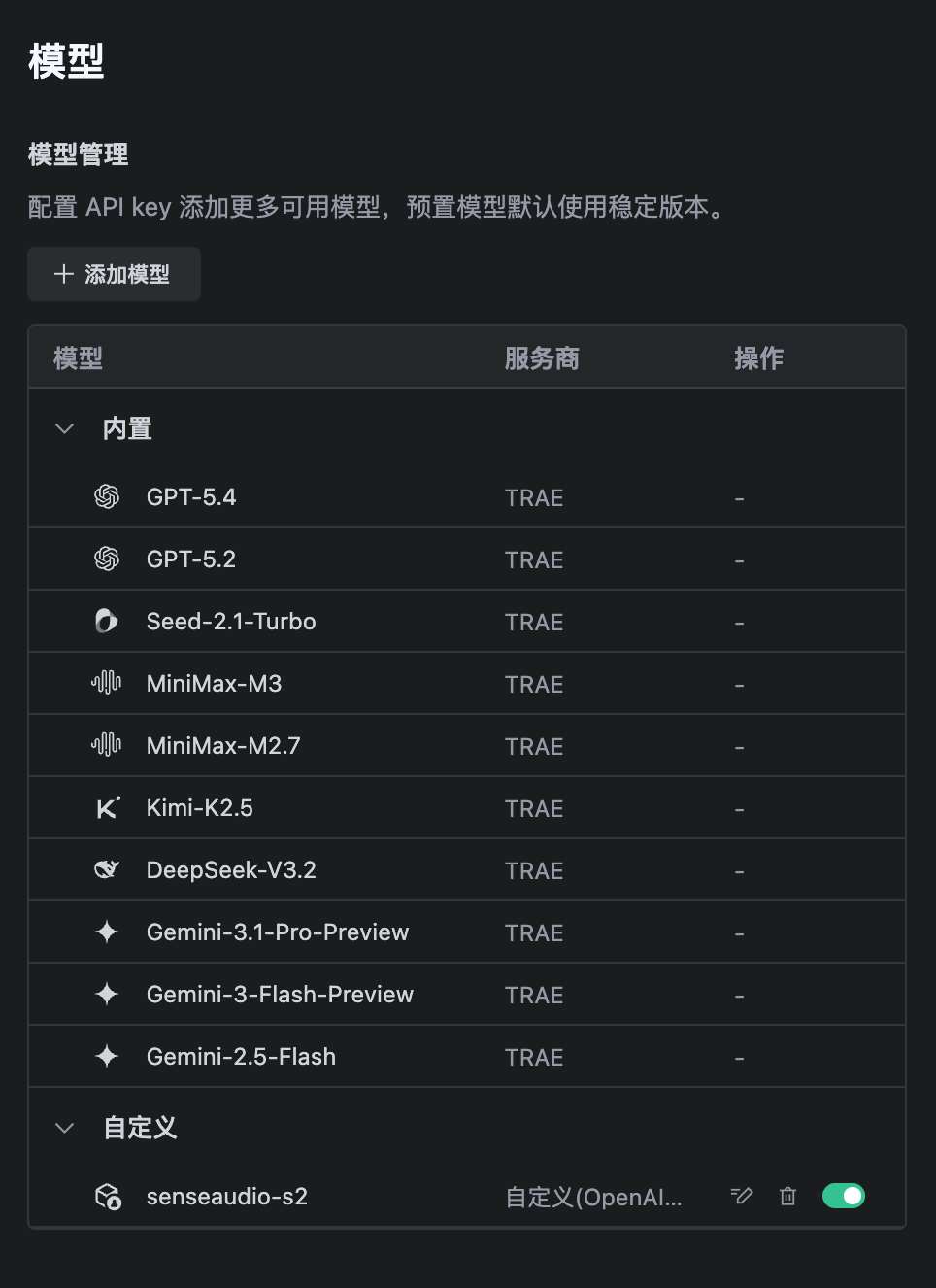
步骤三:发送测试消息
- 返回 AI 对话面板,新建一个对话。
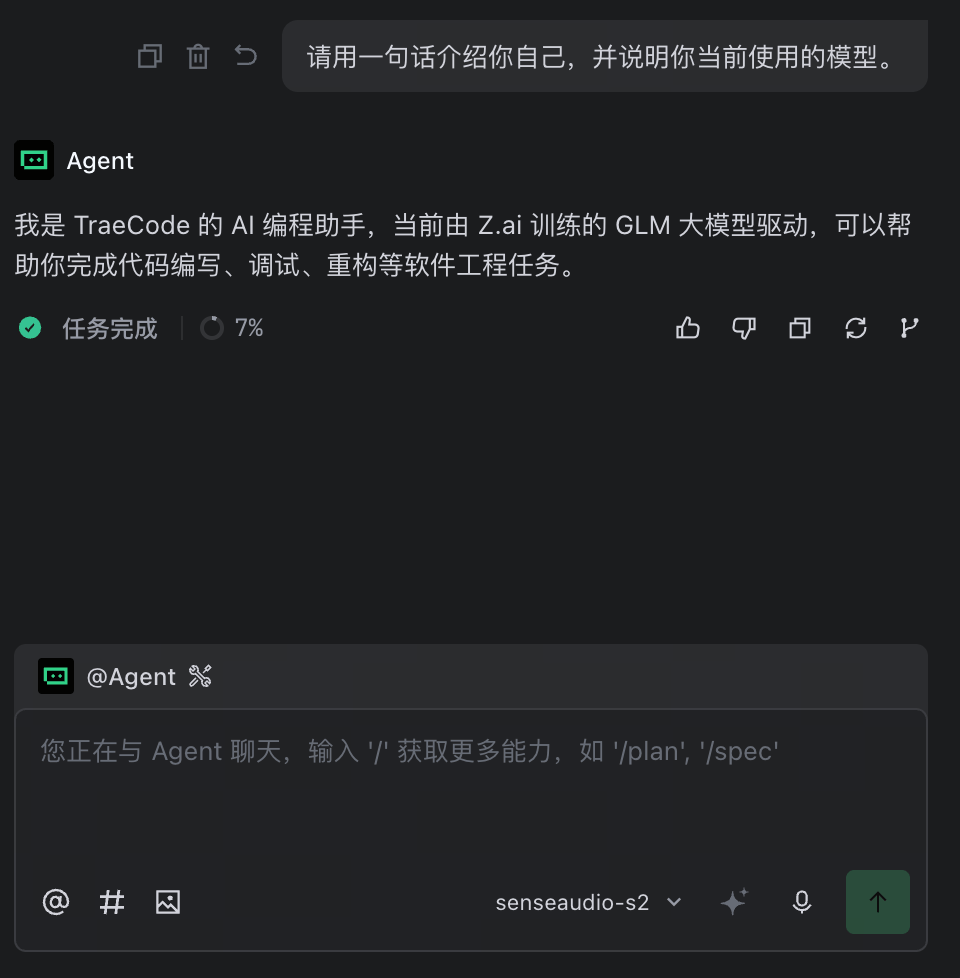
- 点击输入框旁的模型名称,选择自定义模型 senseaudio-s2。如果启用了 Auto Mode,先关闭自动选择。
- 输入并发送下面的消息:

常见问题
如果找不到自定义配置入口,先更新桌面客户端,再按 Trae 官方模型说明 检查当前版本的界面。
相关资源
Claude Code 接入
S2 使用技巧
常见问题
订阅、限额、切换、开票等问题解答。